Can You Connect AI to Your CRM?
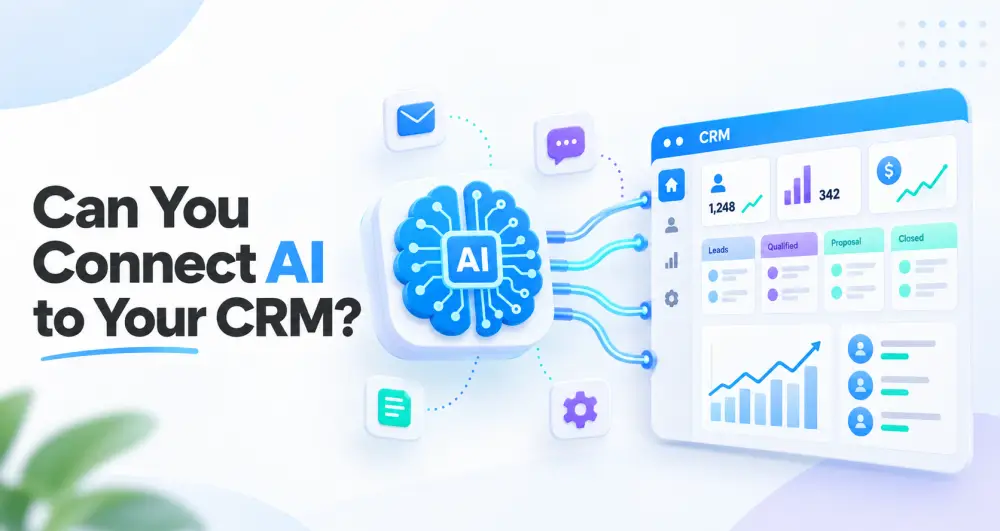
Yes, in many cases AI can be connected to your existing CRM. The right setup can help your business capture and qualify leads, summarise conversations, draft personalised follow-ups, update customer records, identify overdue tasks and alert your team when a lead needs human attention.
The important word, however, is connected.
Using ChatGPT in a separate window to write an email is useful, but it is not a true CRM integration. An AI CRM integration allows information to move between your CRM and an AI tool according to clear rules, permissions and workflows.
When it is set up properly, your CRM remains the central record of your customer relationships, while AI helps your team understand information and act on it faster.
What Does It Mean to Connect AI to a CRM?

A customer relationship management system, or CRM, stores information about your leads, customers, conversations, sales opportunities and follow-up activities.
Connecting AI to a CRM means allowing an AI model or AI-powered workflow to work with selected CRM information. Depending on the system and your business needs, the AI may be able to read approved data, produce a useful output or trigger a controlled action.
For example, when a website enquiry enters your CRM, the AI could read the message, identify the service the person is interested in and categorise the lead. It could then summarise the request and draft an appropriate reply. From there, the CRM could assign the lead to the correct team member and create a follow-up task if nobody responds within a set period.
This is one example of AI workflow automation. The exact process should be designed around your business rather than copied from a generic template.
What Can AI Do Inside Your CRM?
AI can support several parts of lead management, sales, customer service and administration. What is possible depends on your CRM, the quality of its integrations and the permissions you choose to grant.
1. Capture and organise leads
AI can help turn enquiries from website forms, emails or other connected channels into structured CRM records. It may extract details such as the person’s name, company, requested service, location, urgency and preferred contact method.
This reduces manual copying and gives your team cleaner information to work with.
2. Qualify new enquiries
Not every enquiry is equally urgent or ready to buy. AI can assess leads using criteria set by your business and label or score them accordingly.
For example, a lead may be prioritised because the person needs a service you offer, is located in your service area, has supplied enough information for a quote or wants to make a decision soon. These signals can help your team focus its attention where it is most likely to matter.
AI should not invent buying intent. It should work from information the customer has actually provided and rules your business has approved.
3. Summarise conversations
Long email threads, call transcripts and notes can take time to review. AI can create a short summary showing what the customer needs, what has already been discussed and what should happen next.
This is particularly useful when a lead moves from one staff member to another. The next person can understand the history without digging through every message.
4. Draft personalised follow-ups
AI can prepare a follow-up using information already in the CRM, such as the customer’s name, requested service and last interaction.
The message can then be reviewed by a team member before it is sent. For low-risk, well-tested situations, some businesses may choose to automate sending, but important quotations, complaints and sensitive matters should usually retain human oversight.
5. Reduce missed opportunities
A good CRM can show you which leads have not been contacted. AI can add another layer by identifying stalled opportunities, suggesting the next action and alerting the responsible person.
The goal is not to pester people endlessly. It is to prevent genuine enquiries from disappearing simply because the team became busy.
6. Keep CRM records up to date
CRM systems become less useful when staff do not update them. Where the integration allows it, AI can help turn notes or conversations into structured updates, suggest a new pipeline stage, record a next step or flag missing information.
Some changes can happen automatically. Others should be presented as suggestions for a staff member to approve.
7. Support customer service
AI can help categorise support requests, suggest answers from approved company information and route each request to the right person. A custom AI agent may also assist customers or staff while using CRM data within carefully defined boundaries.
Can AI Connect to Any CRM?
AI can connect to many modern CRM platforms, but not every CRM supports the same level of integration.
The first thing to check is how your CRM communicates with other systems. Some platforms have built-in AI features, while others provide an application programming interface, commonly called an API. Your CRM may also offer webhooks that send data when something happens, direct integrations with automation platforms, or a safe way to import and export relevant information.
The best method may be a native integration supplied by the CRM, an automation connector or a custom API integration. Older or highly restricted systems may offer fewer options.
If a direct connection is not possible, a limited workflow may still be created around email, forms or controlled data exports. That is not always the ideal answer, however. The method must be reliable, secure and worth maintaining.
This is why an integration assessment should happen before anyone promises a clever solution. Clickmode’s AI integration service for existing businesses starts with the systems and processes you already use.
Do I Need to Replace My Current CRM?
Usually, no.
If your CRM is working well and supports the required connection, it may make more sense to improve it than replace it. A new platform can bring benefits, but it also brings migration work, training, cost and the risk of disrupting a process your team already understands.
There are situations in which changing systems may be the better decision. This could be the case if your CRM cannot integrate with other tools, produces poor or inaccessible data, no longer fits your sales process or requires too much manual work. Weak permission controls are another concern. The biggest warning sign is often much simpler: the system is so difficult to use that your team avoids using it altogether.
If you are still deciding whether you need this type of system at all, read What Is a CRM and Do You Need One?.
A Simple Example of AI CRM Integration
Imagine a service business receives a quote request through its website at 20:30.
Without a connected process, the enquiry waits in an inbox until somebody sees it the next morning. A staff member then copies the details into the CRM, decides who should handle it and writes a reply.
With a carefully designed AI CRM workflow, the enquiry can be added to the CRM immediately. The AI identifies the requested service and location, flags any missing information and prepares a helpful acknowledgement. The right team member is assigned, a follow-up task is scheduled and the business owner can still see exactly where the lead came from.
The AI has not closed the sale or made promises on behalf of the business. It has removed repetitive steps and made sure the lead enters a clear process.
That distinction matters. The best automation supports good service; it does not pretend human judgement is unnecessary.
What Is Required Before Connecting AI to Your CRM?
Successful AI CRM integration is not only a technical job. The business process needs to be clear first.
A defined goal
Start with one measurable problem. You might want to respond to leads faster, reduce manual data capture or prevent missed follow-ups.
“We want AI” is not a goal. “We want every website enquiry assigned and acknowledged within five minutes” is much more useful.
Clean, useful CRM data
AI cannot rescue a CRM full of duplicate contacts, unclear fields and outdated information. Data may need to be cleaned and organised before automation is added.
Clear workflow rules
Decide what should happen when a lead arrives, who owns each stage, what information is required and when the matter must be escalated.
Appropriate access and security
The integration should receive only the data and permissions it needs. Sensitive customer or business information should not be sent to an AI tool without understanding how that information is processed, stored and protected.
South African businesses should also consider their responsibilities under the Protection of Personal Information Act (POPIA) and obtain appropriate professional advice where necessary.
Human checkpoints
Decide which actions AI may complete, which outputs require approval and which situations must always go to a person.
Testing and monitoring
Before a workflow handles live customer information, it should be tested with normal cases, missing information, unusual wording and errors. After launch, the business should monitor the results and improve the rules.
Clickmode’s AI system setup service can help businesses move from an idea to a practical, tested system.
Is It Safe to Connect AI to a CRM?
The permissions granted to the integration matter just as much. Your business needs to know whether the AI can change or delete CRM records, which messages it may send without human approval and whether automated actions are recorded. There should also be a clear fallback process if the connection fails or the AI produces an incorrect answer.
For many businesses, the safest starting point is to let AI classify, summarise and draft while a person remains responsible for important decisions and outbound communication.
How Much Does AI CRM Integration Cost?
A simple integration that summarises new enquiries will cost less than a custom AI agent that works across a CRM, website, email system and internal knowledge base. Your total cost may include planning, implementation, automation software, AI usage, CRM fees, testing and ongoing maintenance.
The most useful question is not, “How much does AI cost?” It is, “What repetitive problem are we solving, and what is that problem currently costing the business?”
Starting with one high-value workflow makes it easier to measure whether the integration is delivering a return.
Should a Small Business Connect AI to Its CRM?
Yes, a small business can benefit from AI CRM integration, especially when a small team manages many enquiries and repetitive follow-ups. The business does not need a complicated enterprise system to begin.
A sensible first project could be summarising incoming enquiries and tagging leads according to service or location. Another useful starting point is allowing AI to draft first responses, remind the team about overdue follow-ups or prepare a daily lead summary for the business owner.
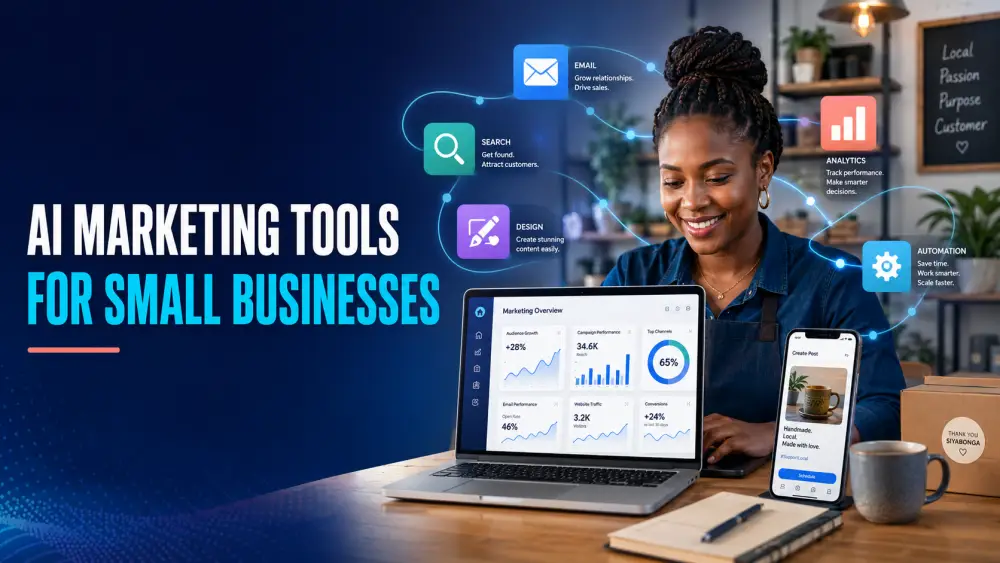
Start small, measure the result and expand only when the first workflow is reliable. If you want a broader view of practical tools, see AI Marketing Tools for Small Businesses.
How Clickmode Can Help Connect AI to Your CRM
Clickmode helps South African businesses identify where AI can create a real operational or marketing benefit. We look at your CRM, lead sources, follow-up process, team responsibilities and existing tools before recommending an integration.
The process begins by mapping your current lead and customer journey and identifying the repetitive CRM tasks that consume your team’s time. We then assess the integration options available in your CRM and design an AI-assisted workflow around a clear business goal.
Depending on your needs, this may include connecting your forms, website, email and other suitable tools. It may also involve developing a custom AI agent and building in human approval steps where judgement is required. Once the system has been tested, the workflow can be monitored and improved using real feedback from your team.
You do not necessarily need a new CRM, a huge budget or an AI system that tries to run your entire business. You need a clear problem, a suitable connection and a process your team will actually use.
If you are wondering, “Can you connect AI to my CRM?”, contact Clickmode. Tell us which CRM you use and what you would like it to do. We can assess the practical options and recommend a sensible next step.

CAROL DIPPENAAR

How to outsource your brain
R220.00